

Spark Tees Valley
| Year | Key skills | Tutorial video | Examples |
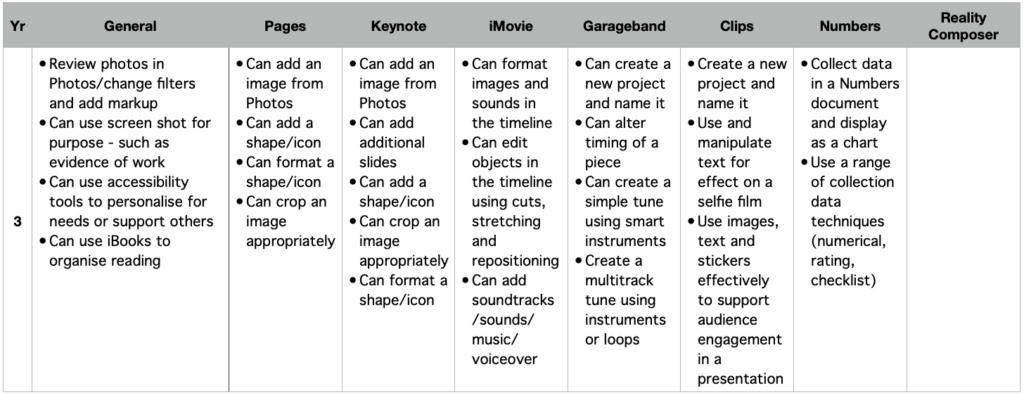
| 3 | Create a new project and name it Use and manipulate text for effect on a selfie film Use images, text and stickers effectively to support audience engagement in a presentation | Find and open a new project Front and back camera choice Take first clip Options for editing it – adding filters/stickers etc Add a sticker before recording | Scaffolding writing |
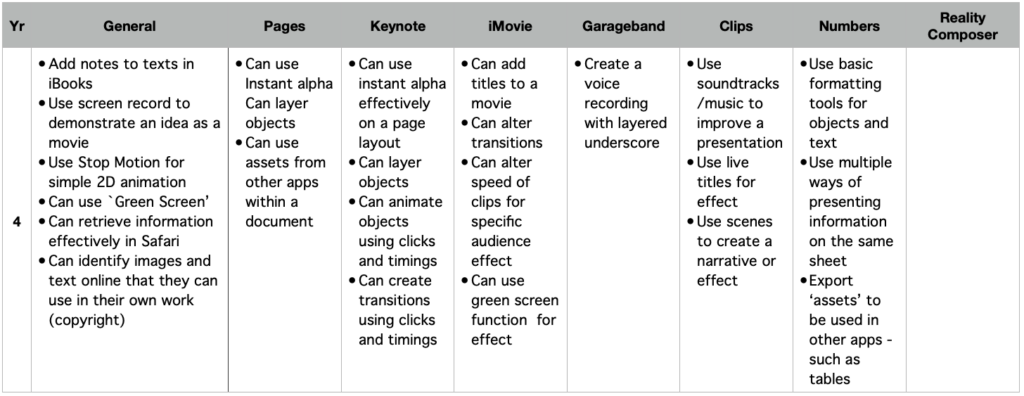
| 4 | Use soundtracks/music to improve a presentation Use live titles for effect Use scenes to create a narrative or effect | Live titles Add a soundtrack Adding posters Adding Memojis Using scenes for effect | Funky book reviews Using filters to create history work |
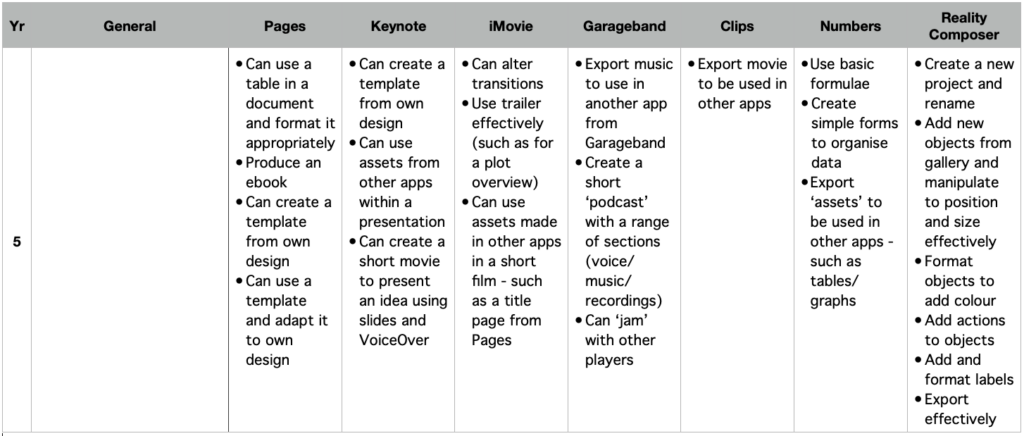
| 5 | Export movie to be used in other apps | Sharing Options for saving Rearranging clips |