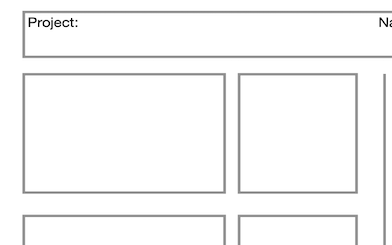
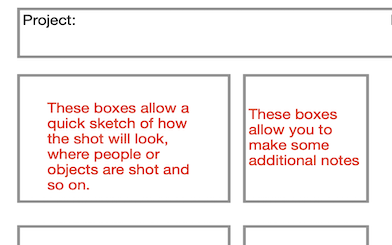
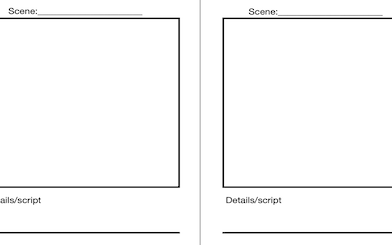
This resource focusses on simple filming techniques to tell a story. It works hand in glove with the iMovie help guides if you have not used the technology before. The main video shows how badly filming is usually done by being over ambitious. The support materials further down will help children to not make those mistakes!
Context
DO NOT makes the same mistakes as her!
Tasks
Today’s outcome is for you to shoot a film that looks professional. To do so you need to plan and script your film carefully. Unlike the young lady in the film above, keep it as a simple narrative, four or five scenes at most, each short so that actors don’t have too much to remember. There are some suggestions below as variations on the theme.
Task Suggestions
Create a simple monologue shot in selfie style about your feelings on a particular subject
Film a cooking item of you following a recipe
Create a re-enactment of a key scene from your favourite film or book
Create a simple three-five part story to film
Create a short film about your day to day activities.
This resource has a number of resources across KS2 although of course they can be used interchangeably as needed. This industry is growing rapidly in the NE and new resources will be added on a regular basis, often in the context of local companies.
Ideas, resources and suggestions
This video is a brilliant resource to base your topic on. The resources below refer to each section of the video (the LEGO video)
Class discussion
Watch up to 1 minute of the video (end of the Christmas lights section):
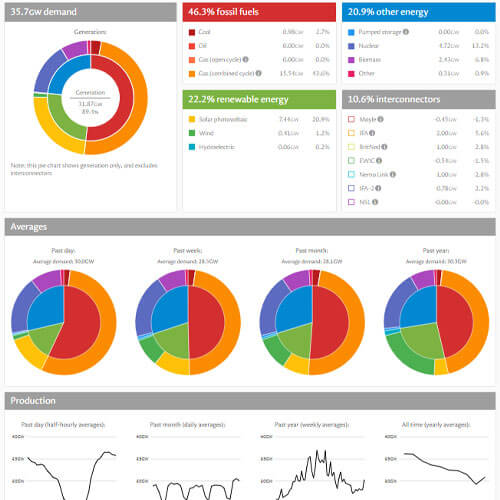
What is energy?
Why do we need it?
Are there different types?
How do we create it?
HOW IS ELECTRICITY GENERATED?
Watch the LEGO video up to 1m 57 seconds
Demo video of a turbine creating electricity by spinning
Lego Video Timing up to 1m 57sec
Following the explanation in the video there is an opportunity to demonstrate this using mini turbines connected to LEDs.
They can be blown on, spun by hand or even put under a tap. Alternatively, using a hand cranked generator to bring a ‘flat’ electronic device (such as an iPad) back to life also demonstrates the point nicely.
In both cases there needs to be recognition that inside the ‘turbine’ there is basically a coil of copper wire and some magnets.
WHAT ARE FOSSIL FUELS?
Lego Video Timing up to 4m 30sec
Discussion
Find out what children know about coal, oil and gas.
Activity
Opportunity for writing a letter to a local MP/power station company to explain why we need to stop using coal, oil and gas.
How will we run our cars? How will we generate electricity to heat our homes and power our devices? Is there an energy source that won’t run out?
Simple little animation showing how coal is formed
RENEWABLE ENERGY
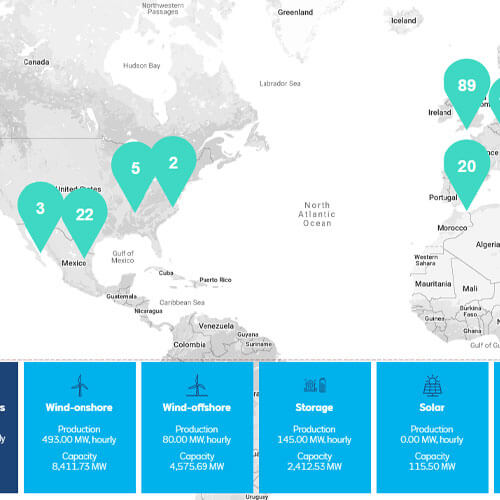
Google Voyage 1 exploring different forms of renewable energy
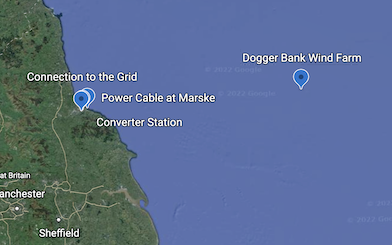
Google Voyage 2 focussing on Dogger Bank Wind Farm
Lego Video Timing up to 6m 20sec – Wind energy.
Activity – So how big is a Wind Turbine?
Explain about a new wind farm being out to sea from the Tees Valley.
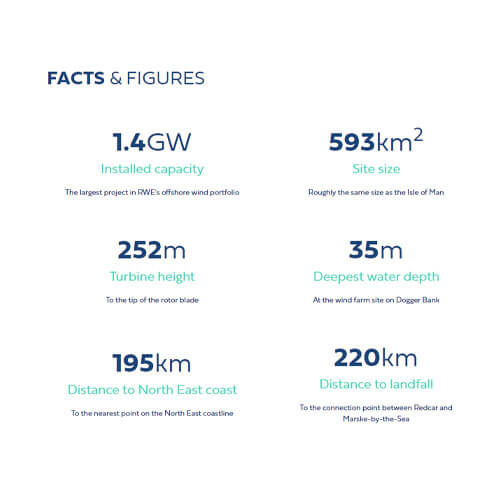
Facts and figures are under the ‘About’ tab and video/images under ‘Latest’.
Children have to mark out on the floor in school grounds the ‘height’ of a turbine if it was laid down. Opportunities for measuring with trundle wheels, long tapes to get to 252m. This could also/instead be done on a map of the area if going outside is completely impractical (screenshot a google maps area and add a grid over it representing a clear scale like 1cm = 10m). Some children may also point out that the base has to be up to 35m longer to reach the sea bed.
Lego Video Timing up to Up to 7m 45 seconds – Solar Energy
Google Voyage 1 (above) contains two different types of solar park. Limondale in Australia is barely built yet but there are videos embedded at the placemarker to show it in progress. It uses what people usually think of as solar cells that turn sunlight directly into electricity.
Can the children think of solar powered devices that they know about?
Ideally using some solar lights or a solar powered calculator would be useful to demonstrate.
Activity – Design an experiment to see how much light solar powered lights need to work.
Very similar to the traditional ‘grow plants in the dark, in the warm, in the sunlight’ type experiment, place solar lights in a dark cupboard, in the classroom but out of the sun, in a sunny place.
Ensure the lights are fully ‘flat’ before the experiment by having them on all day until flat (cover the cell and sensor so it is in the dark). Then place all of them in their respective positions at exactly the same time making sure they are switched ‘off’ so they don’t use up any power when it gets dark.
Leave for the rest of the day/overnight then reveal the next morning but cover the cell and sensor with something so it thinks it is night, then switch ‘on’.
Record how long each set of lights stays on for during the rest of the day (after covering the solar cell!).
This activity is a brilliant opportunity to introduce a simple graph to show a trend. Use the ‘Number’ help guide on this site to see how easy it is. Are there any other factors that need to be considered?
Resource required: a solar powered light of some kind.
There are also lots of solar cell powered toys and little cars that could be used to do a similar type of test (how far can a car go with different amounts of sunlight having charged it etc), just type ‘solar power car’ into Amazon! There is a video embedded in the Voyage about how Solar Cells work at a very simple level.
The placemarker ‘Andasol 3’ in Google Voyage 1 is focussed on thermal energy.
The Andasol Plant in Spain directs sunlight using mirrors to heat up a tube of liquid (salt infused or oil) which then heats up water to turn a turbine.
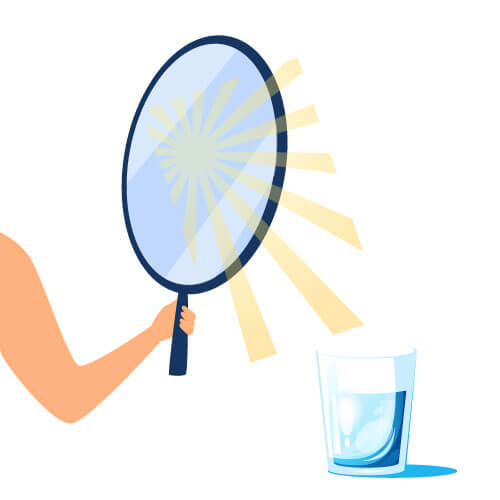
Activity: Using small mirrors to direct heat
This is an easy experiment to do, just position a thermometer (ideally out of the direct light) and take a reading.
Ask children to hold small mirrors and direct sunlight at the temperature sensor/bottom of the thermometer. In normal Summer sunshine the temp will rise on the thermometer almost instantly.
Can the children design a mirror array to keep something like a glass of water warmer than one without the array?
Easy to set up with two glasses of water side by side but one with mirrors arranged to direct the sun towards it.
Children can make their own mirrors using foil wrapped smoothly on card although it may not be quite as effective (especially if it is an any way creased). Great data collection and handling activity.
Water Power
Lego Video Timing up to Up to 6m 42sec
Mini turbines can be shown to turn easily under a tap running and will light an LED if connected (see video above)
Activity: Design a structure with a mini turbine and a light embedded in it
They must embed the turbine in the structure so that moving water will turn the turbine (simulated by pouring water over the turbine). This could be a context like a lighthouse at the mouth of a river where the in and out movement of the tide turns the turbine. Waterproof mini turbines can be cheaply bought on various sites such as Amazon. The context of then designing the structure with the turbine exposed to moving water is then the focus. You can use a running tap as the ‘river movement’ once the structure is built with a light embedded.
Alternatively, pupils could design a device that can be fitted into existing places where water is moving to generate electricity (e.g., in a drainpipe).
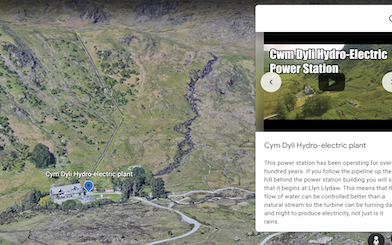
If resources are an issue, pupils may also/instead draw a side view of a house that shows all the places where such a device could be fitted to maximise power output (sinks, drains etc – not the toilet!!). How could the flow be made more constant? Demonstrate how a storage tank (bottle) could collect the water so it could be released in a more controlled and timed way. The CymDyli Hydro-electric plant on Google Voyage 1 shows this including an explanatory video.
We have already changed the future for
30000
young people across the UK
Please register to use the Animex Interactive Content
Template File: index.php
Cookie Policy
This website uses cookies, or tiny pieces of information stored on your computer, to verify who you are when you are logged in to the administration area.
Types of cookies we use
We use the following types of cookies:
strictly necessary cookies – these are essential in to enable you to move around the websites and use their features. Without these cookies the services you have asked for, such as registering for an account, cannot be provided.
functionality cookies – these cookies allow the website to remember choices you make and provide more personal features. For instance, a functional cookie can be used to remember the volume level you prefer to use when watching videos on our websites. The information these cookies collect may be anonymised and they cannot track your browsing activity on other websites.
First Party Cookies
Provider
Cookie name
Purpose
Further information
Website
ir_test
This tests whether the device is suppressing cookies
Website
cke
This cookie is used to remember whether you wish to view the cookie notice or not.
Google Analytics
_ga _gat_gat_oxRollUpTracker_gat_UA-*****
These cookies are used to collect information about how visitors use our site. We use the information to compile reports and to help us improve the website. The cookies collect information in an anonymous form, including the number of visitors to the website, where visitors have come to the site from and the pages they visited.
Cookies are used by WooCommerce in a variety of ways.
Cookies depend on specific features that are enabled on a store. The cookies are active when a user interacts with one of these features or to allow admin functions to be performed from within the store’s dashboard (/wp-admin).
Details are provided in tables below, listing various cookies that are set for users of stores with the WooCommerce plugin installed.
Store front end:
COOKIE NAME
DURATION
PURPOSE
woocommerce_cart_hash
session
Helps WooCommerce determine when cart contents/data changes.
woocommerce_items_in_cart
session
Helps WooCommerce determine when cart contents/data changes.
wp_woocommerce_session_
2 days
Contains a unique code for each customer so that it knows where to find the cart data in the database for each customer.
Stores a randomly-generated anonymous ID. This is only used within the dashboard (/wp-admin) area and is used for usage tracking, if enabled.
Web Application Firewall Cookies
To help you understand which cookies the Wordfence plugin sets, when installed on your WordPress site, we have provided the guide below. Wordfence currently sets three cookies and we explain what each cookie does, who will have the cookie set, and why the cookie helps secure your site.
wfwaf-authcookie-(hash)
What it does: This cookie is used by the Wordfence firewall to perform a capability check of the current user before WordPress has been loaded.
Who gets this cookie: This is only set for users that are able to log into WordPress.
How this cookie helps: This cookie allows the Wordfence firewall to detect logged in users and allow them increased access. It also allows Wordfence to detect non-logged in users and restrict their access to secure areas. The cookie also lets the firewall know what level of access a visitor has to help the firewall make smart decisions about who to allow and who to block.
wf_loginalerted_(hash)
What it does: This cookie is used to notify the Wordfence admin when an administrator logs in from a new device or location.
Who gets this cookie: This is only set for administrators.
How this cookie helps: This cookie helps site owners know whether there has been an admin login from a new device or location.
wfCBLBypass
What it does: Wordfence offers a feature for a site visitor to bypass country blocking by accessing a hidden URL. This cookie helps track who should be allowed to bypass country blocking.
Who gets this cookie: When a hidden URL defined by the site admin is visited, this cookie is set to verify the user can access the site from a country restricted through country blocking. This will be set for anyone who knows the URL that allows bypass of standard country blocking. This cookie is not set for anyone who does not know the hidden URL to bypass country blocking.
How this cookie helps: This cookie gives site owners a way to allow certain users from blocked countries, even though their country has been blocked.
Third Party Cookies
To enrich our website content, sometimes we may embed video content from other social media websites such as YouTube or Facebook. As a result, when you visit a page with content embedded, you may be presented with cookies from these websites. This website has no control or liability over these cookies set, so you should check the relevant third party’s cookie policy for more information.
We also offer a ‘share page’ widget on some of our web pages, where content can be shared easily on the following sites – Facebook, Twitter, MySpace, Delicious and Digg. These sites may set a cookie when you are logged into their service. This website has no control or liability over these cookies set, so you should check the relevant third party’s cookie policy for more information.
Some links and resources are provided below to assist your understanding of the types of cookies you may encounter.
Provider
Cookie name
Purpose
Further information
Google maps
NID PREF khcookie
These cookies are used by Google to track how many people are using their maps
YouTube may still set cookies on the user’s computer once the visitor clicks on the YouTube video player, but YouTube will not store personally-identifiable cookie information for playbacks of embedded videos using the privacy-enhanced mode.
This website will not use cookies to collect personally identifiable information about you. However, should you choose to disable, reject or block our cookies, some parts of our website will not function fully, or in some cases, our website will not be accessible at all.
Most web browsers allow some control of most cookies through the browser settings. To find out more about cookies, including how to see what cookies have been set and how to manage and delete them please visit http://www.allaboutcookies.org/.
Any changes we may make to our Cookie Statement in the future will be posted on this page.
Last Updated: 12/02/21
Privacy Policy
We regard your privacy as important and any personal information you give to us will be used in accordance with the Data Protection Act 1998 and the General Data Protection Regulations.
We do not store personal information about individuals who visit this site except where they provide contact information via our contact us page and contact forms available on various pages throughout the website.
Any information you provide will only be used for the reasons specified and it will not be shared with any third party without your consent, unless required by law.
Your contact details are kept securely and are only accessed by authorised members of staff as part of the provision of school services. If you do not wish us to keep this contact information please tell us.
This website uses Google Analytics which provides statistical data about the usage of the site. This information is not used to identify individuals, but is collected to provide us with an understanding of the areas of interest on our site and how our site is being used.
If you are connected to the internet you will have an IP Address. This may take the form of a figure, such as 333.333.22.1. The address will be automatically collected and logged as part of the connection of your computer to our web server and may be used to determine the total number of visits to each part of the site. This data is not collected and used for other purposes.
This website contains links to other websites. The School is not responsible for the privacy practices of other sites or organisations and recommends you consult the privacy information on those sites.
This policy will be reviewed and updated versions will be posted on the website.
If you have any questions about the use of your personal information, the Information Commissioner is the independent regulator for both Data Protection and Freedom of Information.